Editorial Guide
Understanding structured content types
Structured Content Types (SCT) is how you build custom content in Arc XP. Custom meaning anything that isn’t a story, photo, or video, can be things like: events, recipes, staff profiles, product listings, or any other type of content specific to your organization.
You define a content type with the fields it needs. Then editors create records for that type the same way they create stories.
How a schema defines your content type
A schema is the form template for a content type. Define it once, and every record follows the same structure.
An Events schema might have: title, start date, end date, location, category, ticket URL. Every editor creating a new event fills in those same fields. The schema is what keeps every record consistent: displayed the same way, filtered the same way, every time.
Each field has a data type. Text fields take any text. Date fields enforce a date format. Number fields take numbers only. Boolean fields are yes/no. The type matters because it’s what makes records filterable and displayable consistently.
Some fields are searchable. A searchable field can be filtered or queried. That’s how your developer builds “show only Sports events” or “show events this week.” Fields that aren’t searchable are stored and visible in the record, but you can’t filter records by them. Decide which fields need to be searchable before you load real data. A field can be made searchable later, but not the other way around.
Records alongside your stories
A record is one instance of a structured content type. One event. One recipe. One staff profile.
You create and edit records in Data Manager, the same place editors work with standard content.
Data Manager is the application where you manage your Custom Content. You will see all Schemas in one place.
The record shows the fields from the schema. Fill them in, save, and the record is ready for your developer to query and display.
Records and stories live side by side in Arc XP. A story might cover the announcement of a new event series. The individual events are records. Both live in Arc XP; they just do different jobs.
Records are created one at a time today, through Data Manager or the Draft API.
When to use SCT instead of a story
The question is whether your content is inherently structured, not which approach is better.
Writing a feature about an upcoming food festival? Use a story. Managing a database of individual events that editors update and developers display as a filterable listing? Use SCT.
You can also have both events database, and your stories referring to event(s) as your narrative.
SCT is the right fit when:
- The same set of fields repeats across every piece of content (i.e: event location, ticket purchase URL)
- Editors are creating and updating many records of the same type
- Developers need to filter or sort records by field values
- The content has its own display pattern, separate from the article format
Stick with stories when:
- The content is mostly narrative or flowing text
- You need scheduling
- There’s no need to query content by field
Sometimes both apply. A long form feature and a structured listing can coexist. The story handles the narrative; the record drives the listing.
Referring to your Custom Content from Stories
You can refer your custom content from your stories in Composer. Example: Referring an event or multiple events from a story, like “Things to do this weekend in Atlanta” story can list concerts, art shows etc.
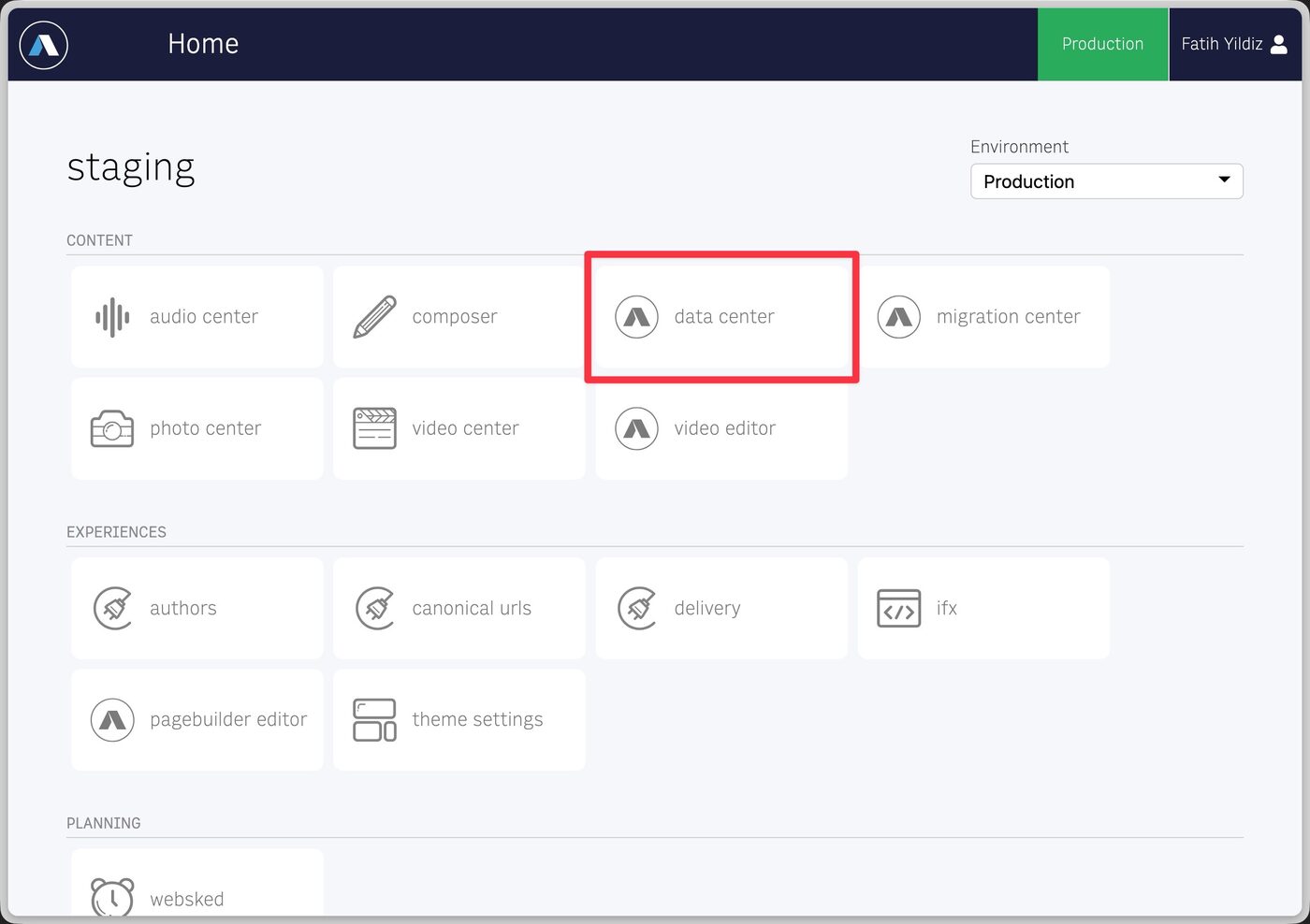
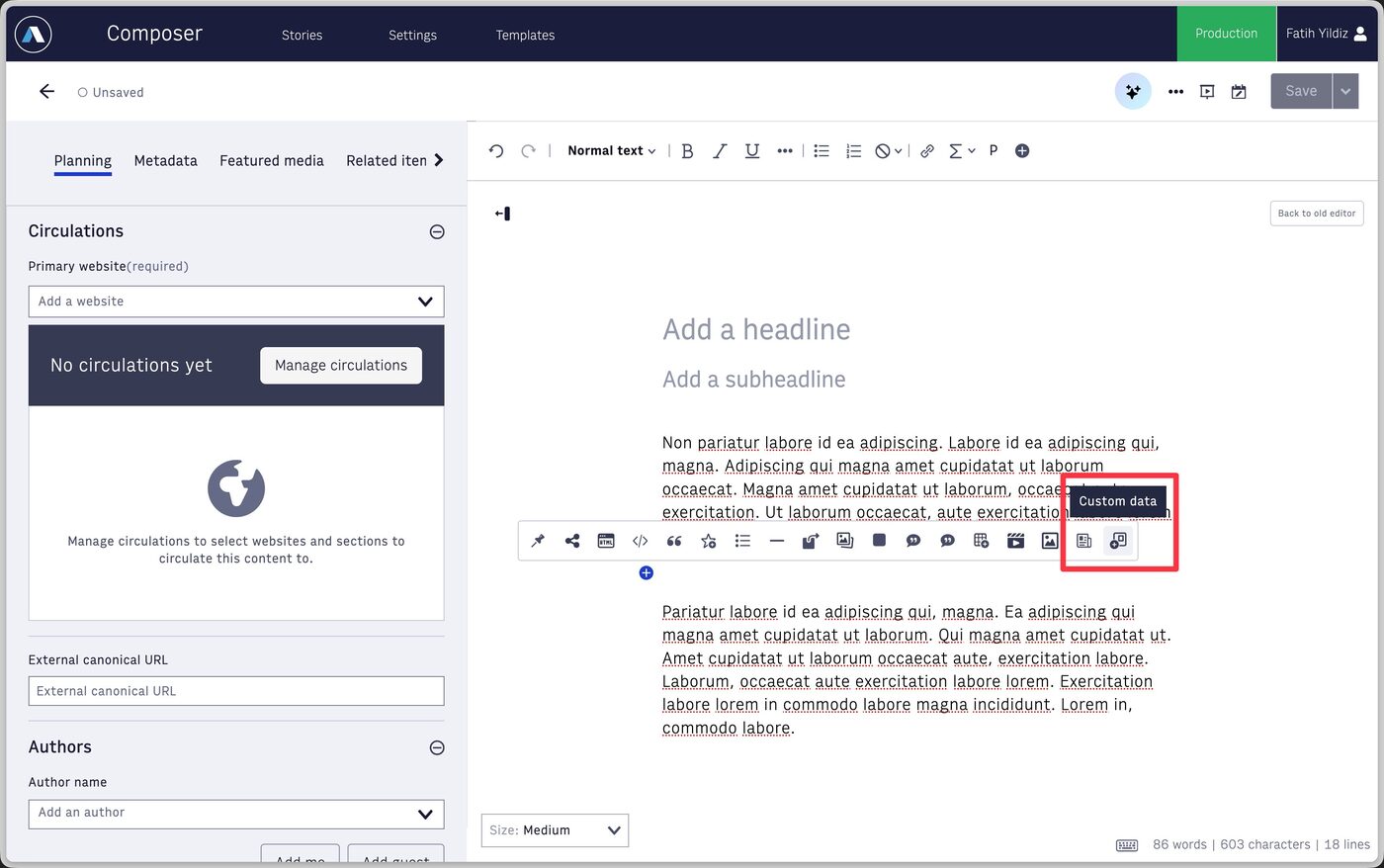
In Composer inline content toolbar, there is a new button to add “Custom Data”.
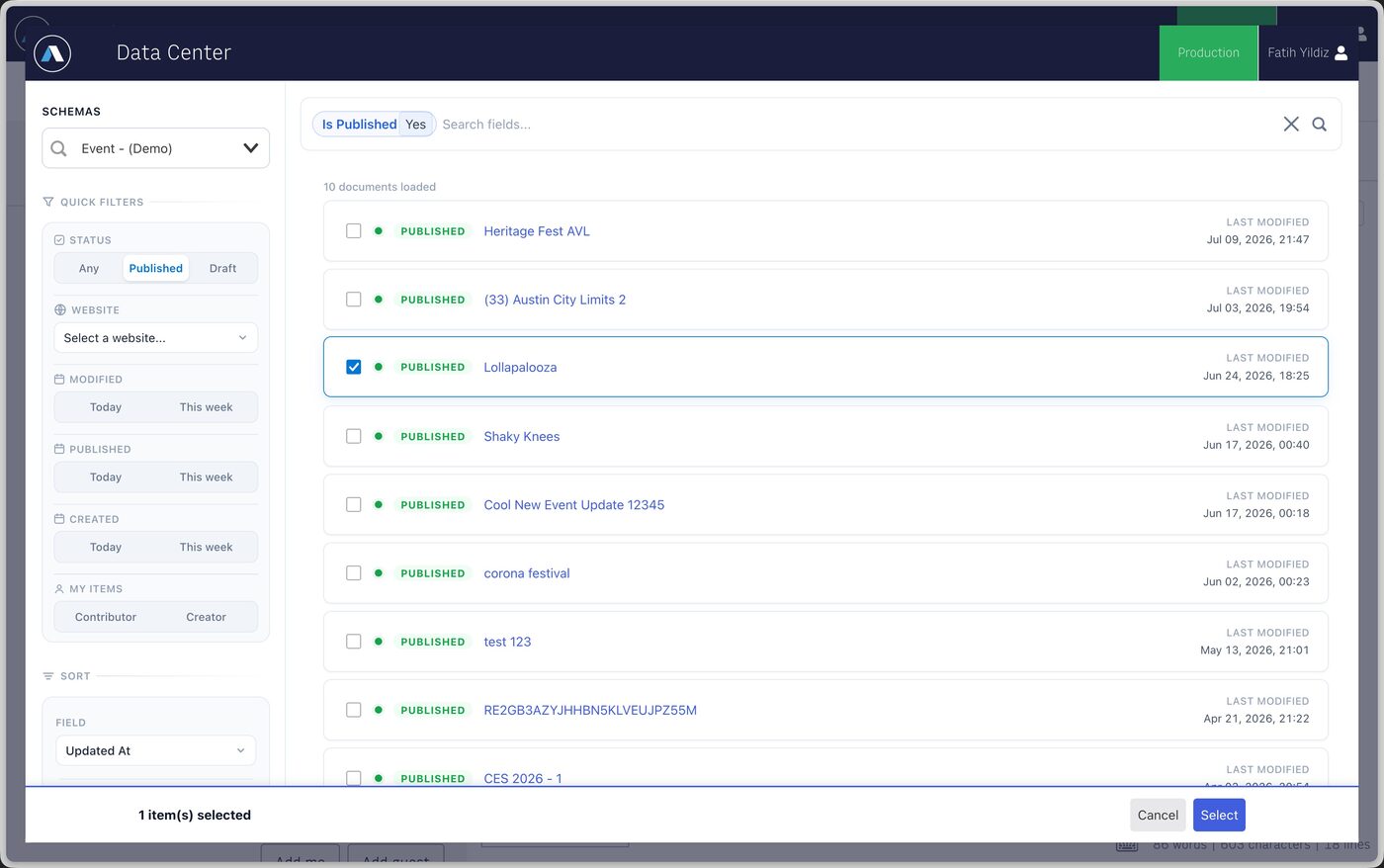
When clicked, data center pop-up shows and allows you to navigate to all of your schemas, filter, search and find the custom content you want to refer from the story:
Once custom content is added, the references will be shown in the story.
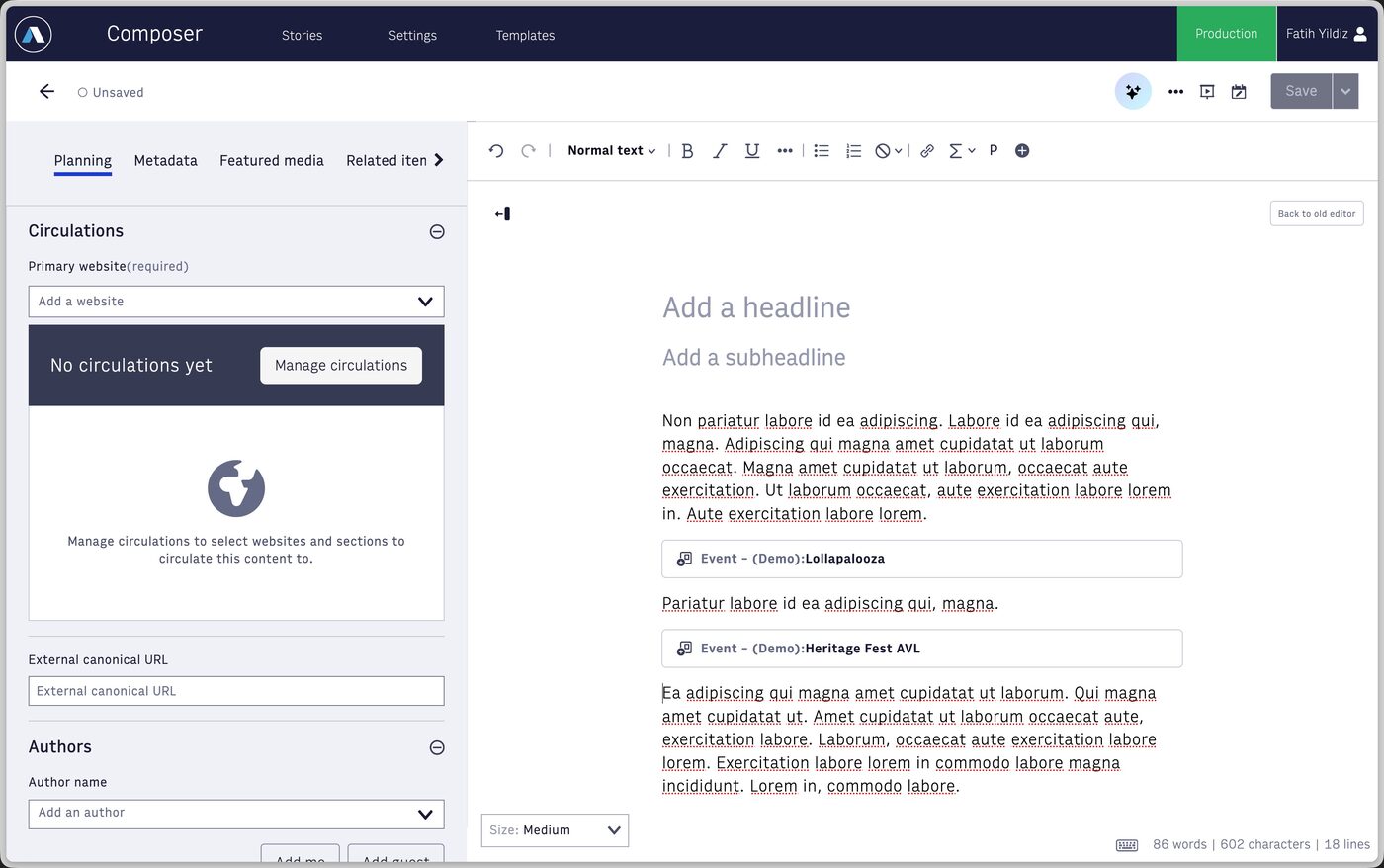
Your developers can now implement how to display your custom content, by the content type in your story body on your experiences.
Referring to other content from your Custom Content
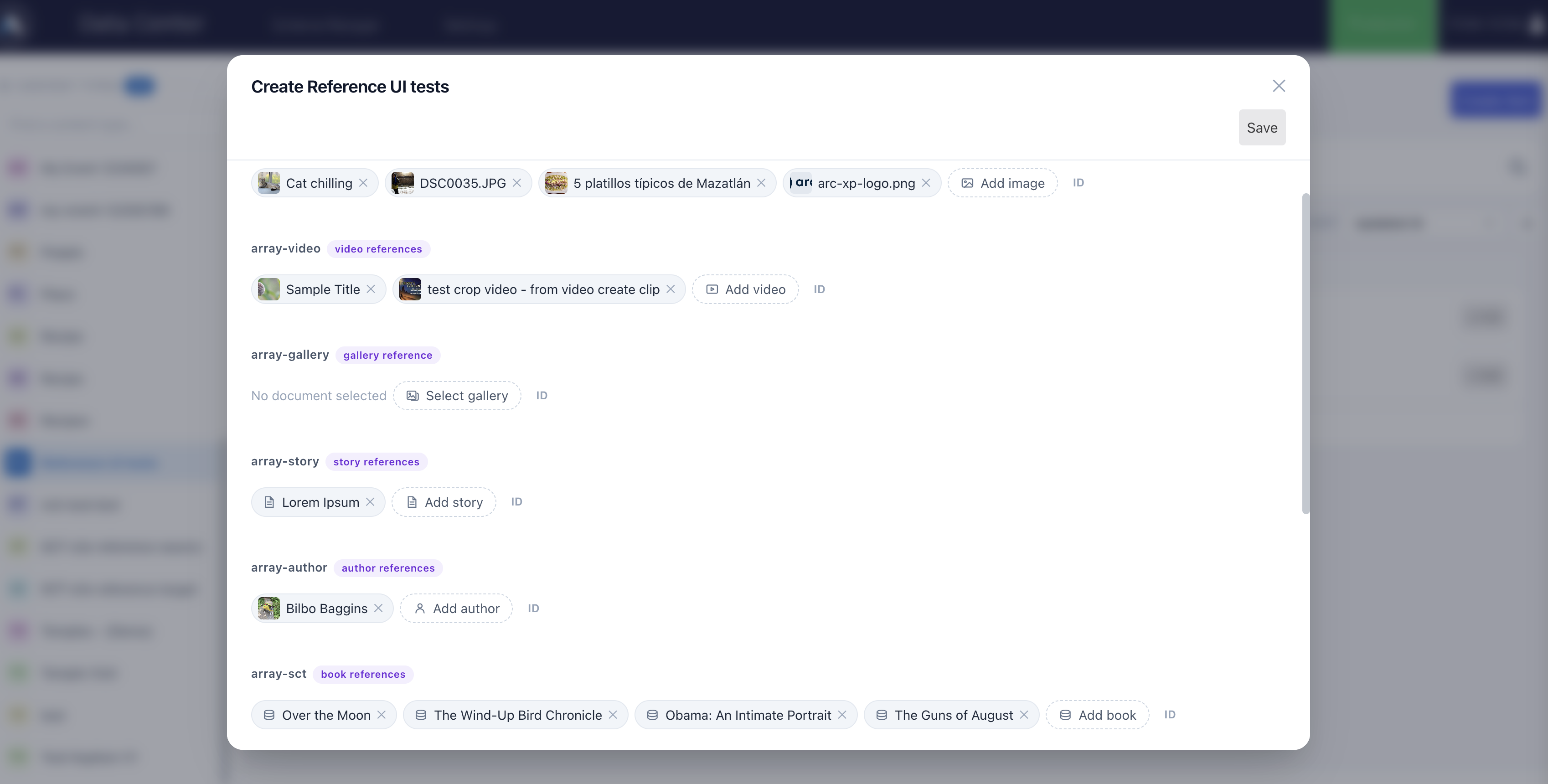
The other direction works too. A content type can have reference fields that point at other Arc XP content: another record (an event’s venue, a recipe’s ingredients), a story, an image, a gallery, a video, or an author. Your developer decides which of these a field accepts when they design the schema; in the form you simply pick.
Each reference field has a picker suited to its target. For images, galleries and videos you get the same Photo Center and Video Center panels you know from Composer; for stories, a search with the usual filters (website, publish state, date, headline, author); for other records, the Data Manager list itself, filtered to the right content type; for authors, a name or email search. Fields that accept several items collect them as chips you can remove.
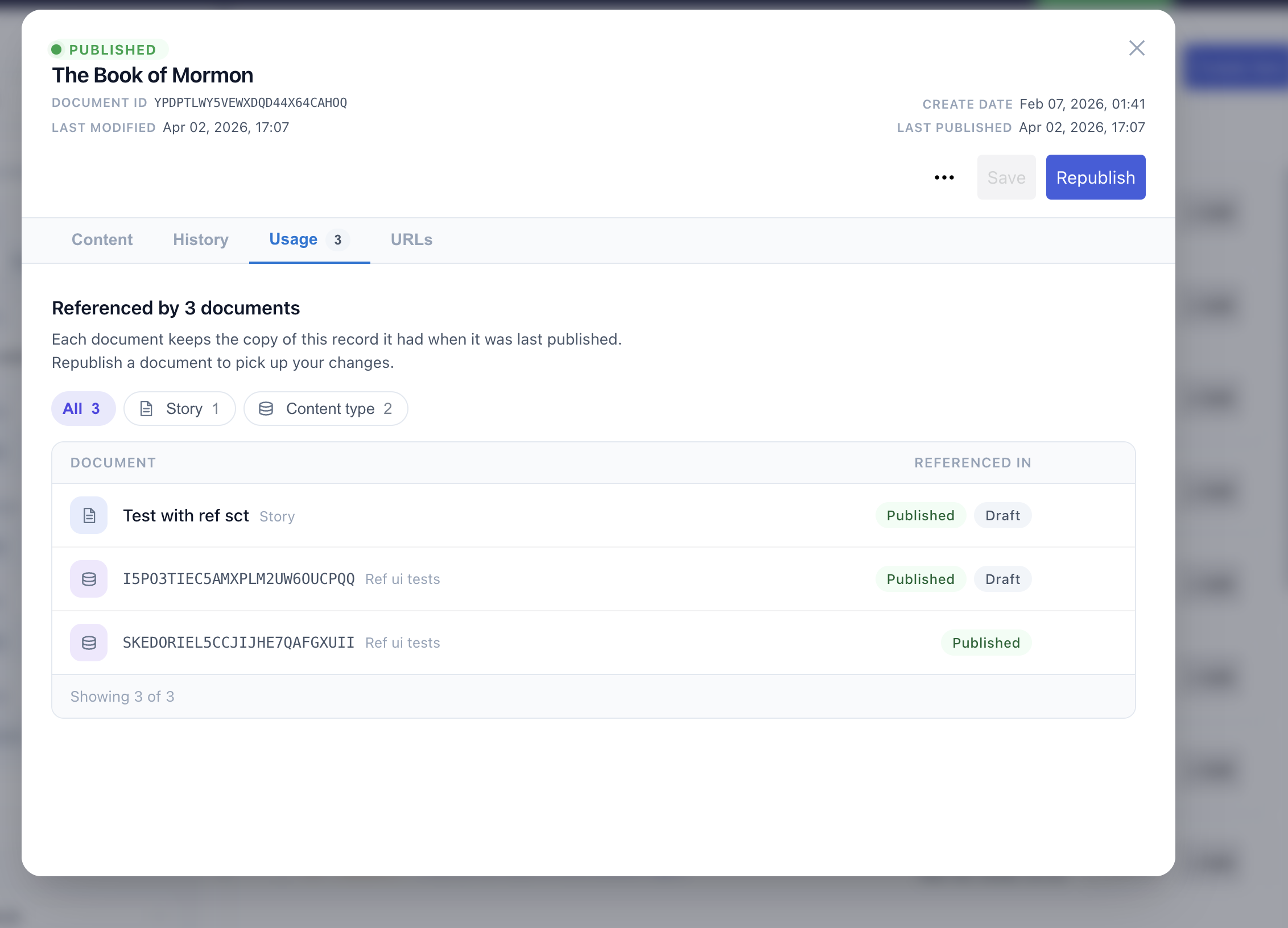
One thing is worth knowing about how references behave once the record is published: the referenced content is copied in at publish time. A page showing your record does not fetch the venue or the image live; it gets the version that existed when the record was last published. If the venue’s address changes later, republish the records that point at it — the venue record’s Usage tab lists every one of them, with a shortcut to open each.