CDP and the Arc XP Paywall
Understanding user behavior is key to increasing monetization. Your audience interacts with your brand across many channels, generating valuable first-party data. A Customer Data Platform (CDP) is the standard tool for gathering, unifying, and acting on that data.
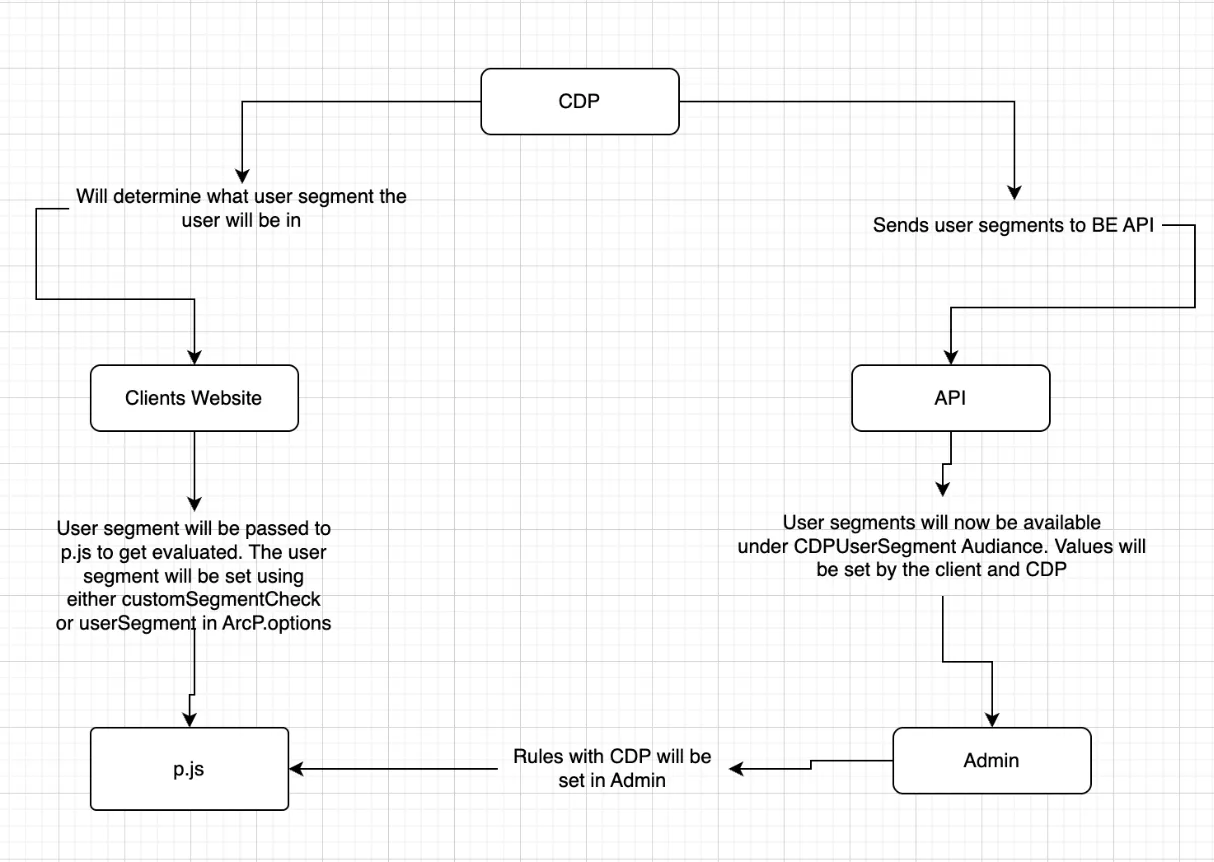
The Arc XP CDP Connector lets you bring CDP audience segments into the Arc XP Paywall. You can recognize engaged users by segment, route them through registration, and surface a targeted subscription wall or other revenue-generating offer at the moment it is most likely to convert.
Before you start, you will need to configure and set up a paywall.
Setting up your CDP Connection
There are a few steps required to configure the connection between Arc XP Paywall and your CDP. Some of these can be completed in the Settings Admin or using a developer API and some will need to be completed in your UI.
- Add CDP User Segment Values
- Configure Paywall rules with the User Segments
- Pass User Segments to the Paywall
1. Add CDP User Segment Values
In the Settings Admin, go to CDP User Segments and add an entry for each segment you want to use in paywall rules.
Each entry is a {name, value} pair:
- Value must match the segment identifier returned by your CDP provider (for example,
engaged_readerfrom BlueConic). - Name is a human-readable label you choose. It is what appears in the Audience Criteria dropdown when you build paywall rules, so pick something the business team will recognize (for example,
Engaged Reader).
2. Configure Paywall rules with the User Segments
Create or modify rules that meter on CDP segments that were adding in the Settings admin using Audience Criteria. Details on configuring and using the Arc XP Paywall can be found in Arc XP Subscriptions Paywall.
In the Audience Criteria User Segment option, you can select the CDP User Segment Name that is associated with the Value. As with any other Audience Criteria, clients can have the rule applied to multiple segments.
3. Pass User Segments to the Paywall
The CDP segment needs to be passed when executing ArcP.run to use CDP segment based rules. The segments can be passed through in two different ways. The segment values can be passed as an array of strings using userSegments or with customSegmentCheck function that resolves to an array of segments.
Option 1
ArcP.run ({userSegments: ['SEG001', 'SEG002'] })
Option 2
async function customSegmentCheck () {
const result = await getCDPSegments (); // function that resolves to the user's segment
return result;
}
ArcP.run({ customSegmentCheck: customSegmentCheck)
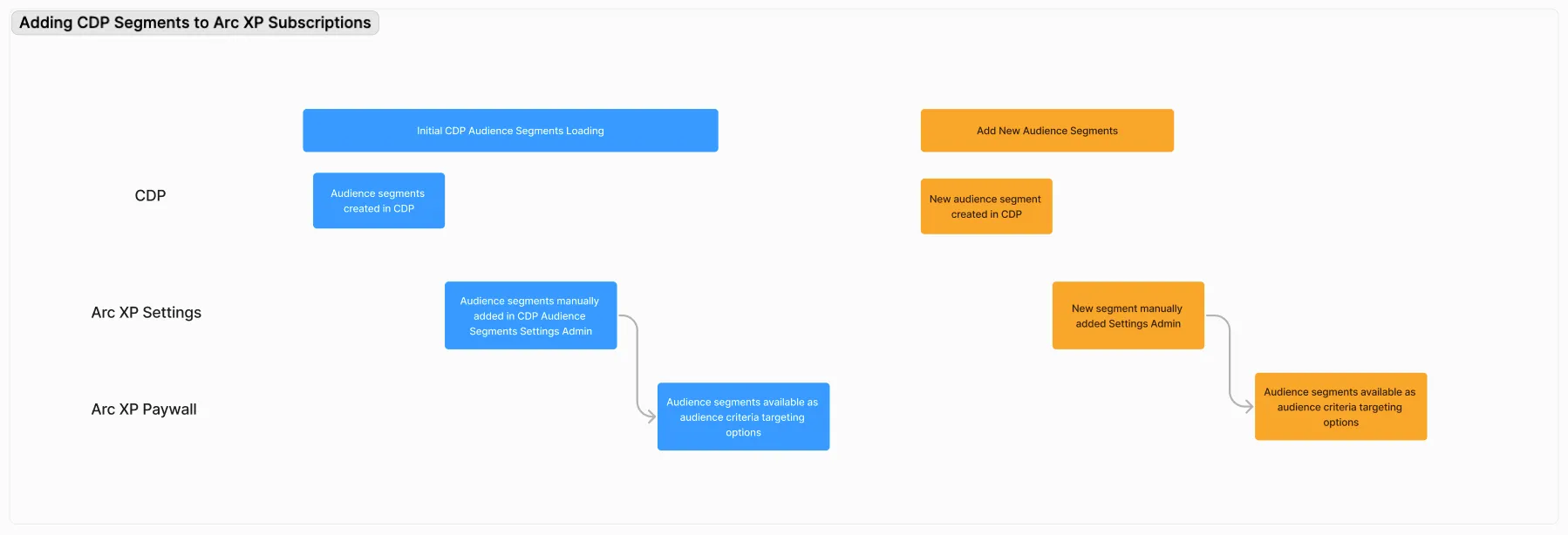
The flow the User Segments from the CDP with the Arc XP Paywall is provided below.