

Using resizerURLs for images in Arc XP Themes
Starting with Themes 3.2.0, developers can configure multiple resizer URLs across multiple environments. This eliminates the need for separate bundles per environment and aligns with the way Outbound Feeds handles resizer URLs.
This guide explains how to configure resizerURLs, how fallback logic works, and how to update custom image blocks if needed.
Configuration in blocks.json
In blocks.json, define both the legacy resizerURL (for fallback) and the new resizerURLs object:
{ ... "values": { "default": { "siteProperties": { "resizerURL": "https://{org}-{siteId}-fakefallback.web.arc-cdn.net/resizer/v2/", "resizerURLs": { "{org}-sandbox": "https://{org}-{siteId}-sandbox.web.arc-cdn.net/resizer/v2/", "{org}": "https://{org}-{siteId}-prod.web.arc-cdn.net/resizer/v2/" }, }, }, },}resizerURLsholds multiple environment-specific URLs.resizerURLis still required and remains as a fallback if no match is found.
How It Works
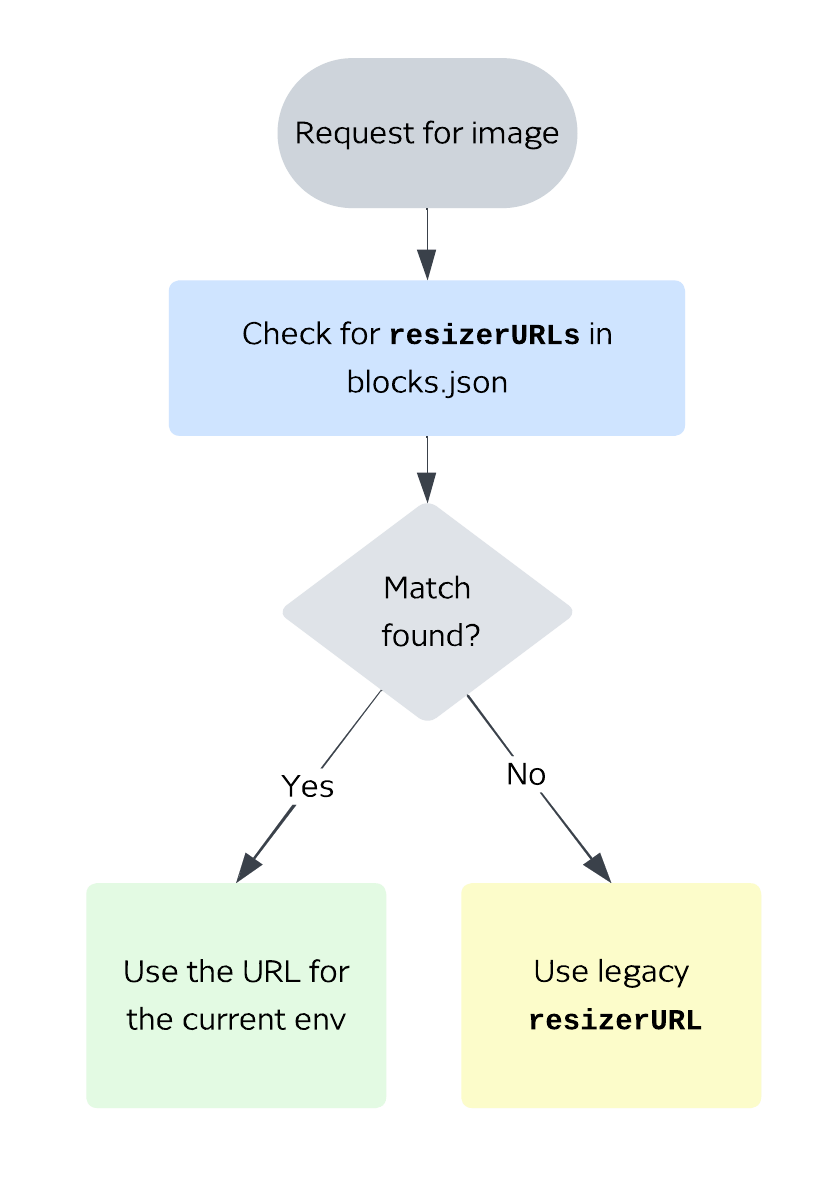
- When rendering an image, Themes checks for a matching entry in
resizerURLsbased on the current environment. - If a match is found, that URL is used.
- If no match is found, Themes falls back to the single
resizerURL.
Default Blocks
The following blocks have been updated to support resizerURLs:
- gallery-block
- Image component
- MetaData component
- article body chain
If you are only using default blocks, simply upgrade to Themes 3.2.0 by changing "themesReleaseVersion": "arc-themes-release-version-3.2.0" in blocks.json
Custom Blocks
If you maintain custom image blocks, you can add support for resizerURLs. This step is optional but recommended if you want a single bundle to work across environments.
You can use the pared down example below to structure your resizerURLs logic:
import getProperties from "fusion:properties";import { ENVIRONMENT } from "fusion:environment";import {  Image,} from "@wpmedia/arc-themes-components";
const { resizerURL, resizerURLs } = getProperties(arcSite);
const resizerURLtoUse = resizerURLs ? resizerURLs[ENVIRONMENT] : resizerURL;
return (    <Image        resizerURL={resizerURLtoUse}        {...otherProps}    />);
Migration Checklist
- Upgrade to Themes > 3.2.0 to get updated default blocks.
- Add a
resizerURLsobject to yourblocks.json. - Keep the existing
resizerURLfor fallback compatibility. - (Optional) Update custom image blocks to use the
getResizerUrlhelper. - Verify images in sandbox and production environments.
FAQ
Do I need to update my theme immediately?
No. If you don’t use resizerURLs, your theme will continue working with resizerURL.
Do I still need separate bundles for sandbox and prod?
No. With resizerURLs, one bundle can handle multiple environments.
What if both resizerURLs and resizerURL are defined?
The environment-specific URL from resizerURLs will be used first. If no match is found, it falls back to resizerURL.
Which blocks are updated by default?
- gallery-block
- Image component
- MetaData component
- article body chain
What about custom blocks?
Updating them is optional. If you want them to support multiple environments, add resizerURLs to blocks.json and implement the helper function.