# Mobile SDK - Resolver setup
Source: https://dev.arcxp.com/mobile/content/mobile-sdk-resolver-setup/
This set up sets up the backend for the Mobile SDK.
Resolvers populate the content to outbound feeds (OBF). Without resolvers, no data is available. Use caution when editing or adding resolvers as small mistakes can cause data to not be available.
The resolvers provided in this document are the resolvers that power collections, navigation, article, and site service calls to the mobile SDK. Setting up these resolvers lets content feed into the endpoints that the Mobile SDK uses. To learn more, see [Setting up resolvers for Outbound Feeds](https://dev.arcxp.com/arc-io/developer-docs/setting-up-resolvers-for-outbound-feeds/).
## Confirming the resolver functionality is enabled
Use the following steps to confirm the resolver functionality is enabled in your environment. A different resolver set exists for each environment, so ensure you select the appropriate environment before navigating.
1. Navigate your organization’s Arc XP home page.
2. Click the **outbound feeds** tile under Experiences. PageBuilder opens.
> **Note:**
>
> If you don’t have an outbound feeds under Experiences, contact [Arc XP Customer Support](https://support.arcpublishing.com/) to have the Outbound Feeds product added.
3. Click **Developer Tools > Resolvers** from the menu at the top.
4. Click **New Resolver**.
5. Scroll to the Default Template section and expand the drop-down menu. Confirm an `ans` entry exists. If the entry does not exist, contact [Arc XP Customer Support](https://support.arcpublishing.com/) and request that the OBF bundle be installed that includes an Arc XP Native Specification (ANS) template. If the template is not installed, discontinue this tutorial until the OBF bundle is installed and the template is available.
## Default Resolver Parameters
The following list describes the resolvers that you must set up in order to feed content to the outbound feeds that the Mobile SDK uses.
> **Note:**
>
> If any of the content sources described here are not available in your drop-down menu, see [Deploying new outbound feeds features](https://dev.arcxp.com/arc-io/developer-docs/deploying-new-outbound-feeds-features/) to create or update your OBF repository bundle and re-deploy.
Testing Notes:
- OBF only returns published items
- UUIDs are case sensitive
| NavigationFeeds the site service data. Without this resolver, menus do not show.**Regex Pattern**: ^/arc/outboundfeeds/navigation/(.\*)/$**Content Source**: site-service-hierarchy**Hierarchy**: Type = Pattern, value = 1**Default Template**: ans**Default output type**: jsonExample URL: [](https://arcsales-arcsales-sandbox.web.arc-cdn.net/arc/outboundfeeds/navigation/mobile-nav/) | 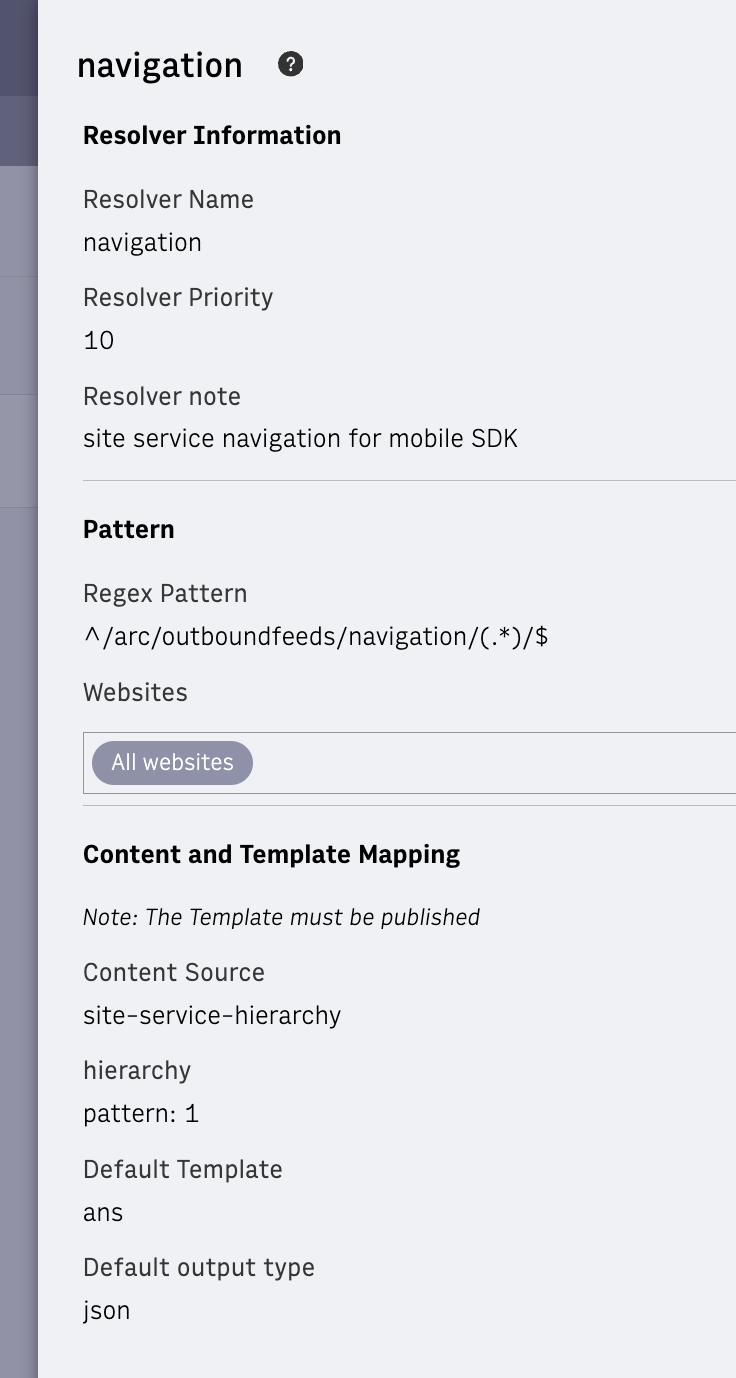 |
| ---------------------------------------------------------------------------------------------------------------------------------------------------------------------------------------------------------------------------------------------------------------------------------------------------------------------------------------------------------------------------------------------------------------------------------------------------------------------------------------- | ------------------------------------------------------------------------------------------------------------------ |
| CollectionFeeds content data when preloading is not enabled.**Regex Pattern**: ^/arc/outboundfeeds/collection/(\[^/\]\*)/$**Content Source**: collections**Collection Alias** (only populate ID or Alias): Type = Pattern, value = 1**from** (integer offset to start from): Type = Parameter, parameter = from, value = 0For the from and size values, you must create the parameters using the Add Parameter button under URL Parameters. Create new parameters from and size and keep the pattern .\*. You can then use these parameters in the Content and Template Mapping section.**Number of records to return** (an integer 1-20): Type = Parameter, parameter = size, value = 20**ANS Fields to Exclude** (use commas between fields): Type = static, value = content\_elements**Default Template**: ans**Default output type**: jsonExample URLs:[](https://arcsales-arcsales-sandbox.web.arc-cdn.net/arc/outboundfeeds/collection-full/mobile-video/)[](https://arcsales-arcsales-sandbox.web.arc-cdn.net/arc/outboundfeeds/collection-full/mobile-video/?size=1) just first item[](https://arcsales-arcsales-sandbox.web.arc-cdn.net/arc/outboundfeeds/collection-full/mobile-video/?size=1&from=10) just one item, but start from index 10 | 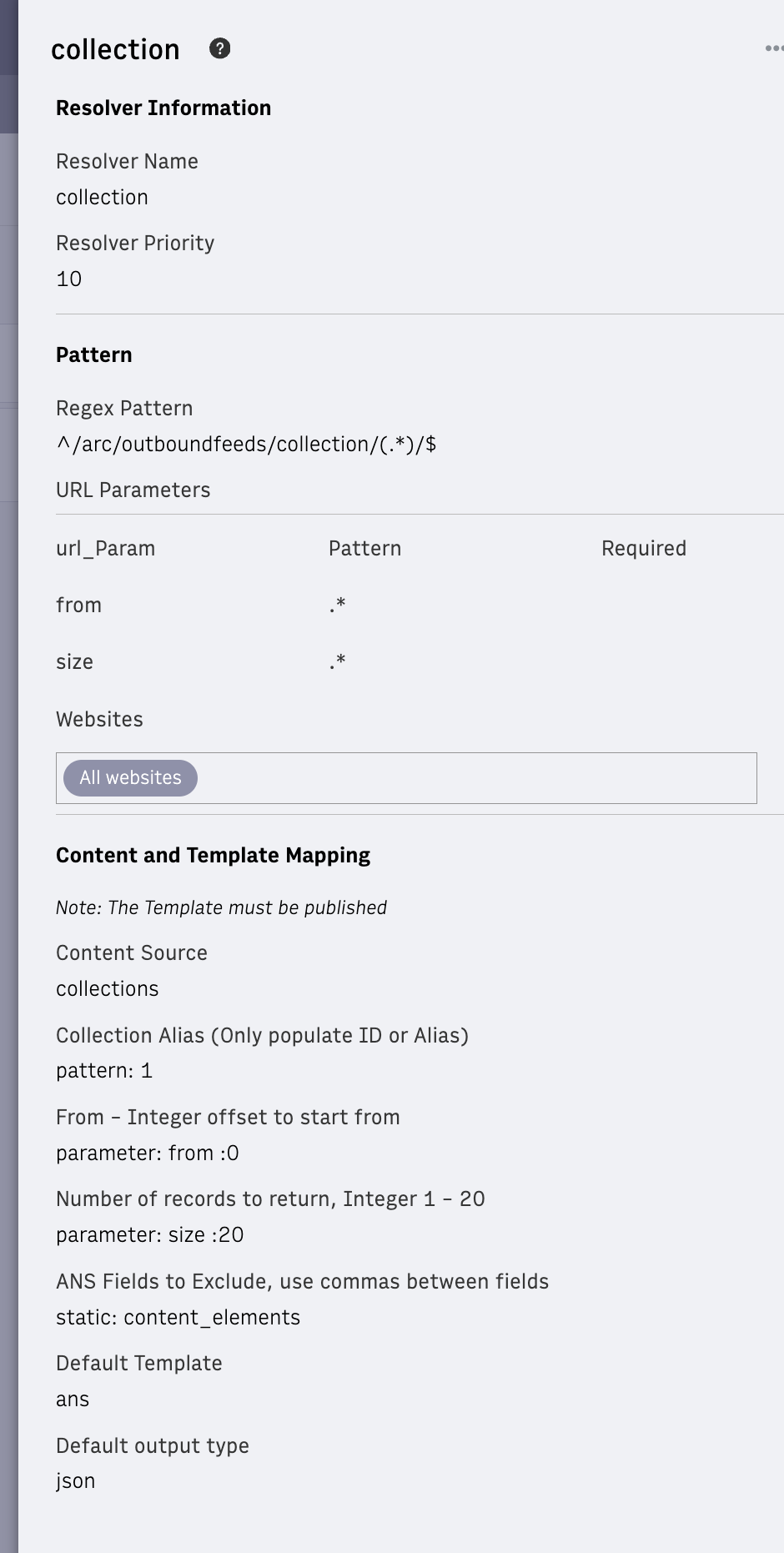 |
| -------------------------------------------------------------------------------------------------------------------------------------------------------------------------------------------------------------------------------------------------------------------------------------------------------------------------------------------------------------------------------------------------------------------------------------------------------------------------------------------------------------------------------------------------------------------------------------------------------------------------------------------------------------------------------------------------------------------------------------------------------------------------------------------------------------------------------------------------------------------------------------------------------------------------------------------------------------------------------------------------------------------------------------------------------------------------------------------------------------------------------------------------------------------------------------------------------------------------------------------------------------------------------------------------------------------------------------------------------------------------------------------------------------------------------------------------------------------------------------------------------------------------------------------------------------------------------------- | ------------------------------------------------------------------------------------------------- |
| Collection-fullFeeds content data when preloading is enabled.**Regex Pattern**: ^/arc/outboundfeeds/collection-full/(\[^/\]\*)/$**Content Source**: collections**Collection Alias** (only populate ID or Alias): pattern: 1**from** (integer offset to start from): Type = Parameter, parameter = from, value = 0For the from and size values, you must create the parameters using the Add Parameter button under URL Parameters. Create new parameters from and size and keep the pattern .\*. You can then use these parameters in the Content and Template Mapping section.**Number of records to return** (an integer 1-20): Type = Parameter, parameter = size, value = 20**Default Template**: ans**Default output type**: json**Note**: When the entire article is desired (preLoading is enabled) with each collection call. Subsequent calls for the article ID return the article from cache.Example URLs:[](https://arcsales-arcsales-sandbox.web.arc-cdn.net/arc/outboundfeeds/collection/mobile-video/)[](https://arcsales-arcsales-sandbox.web.arc-cdn.net/arc/outboundfeeds/collection/mobile-video/?size=1) just first item[](https://arcsales-arcsales-sandbox.web.arc-cdn.net/arc/outboundfeeds/collection/mobile-video/?size=1&from=10) just one item, but start from index 10 | 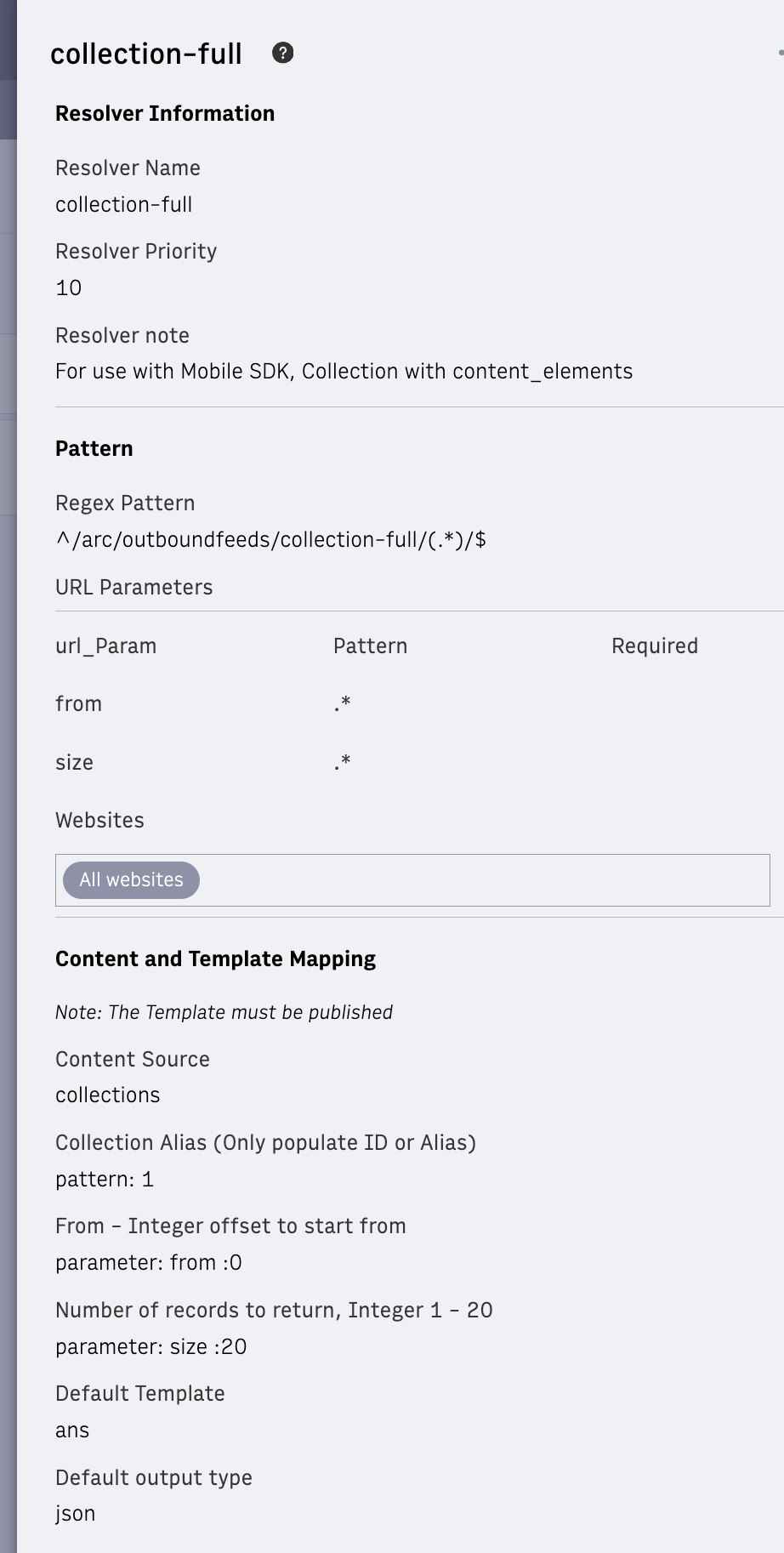 |
| ----------------------------------------------------------------------------------------------------------------------------------------------------------------------------------------------------------------------------------------------------------------------------------------------------------------------------------------------------------------------------------------------------------------------------------------------------------------------------------------------------------------------------------------------------------------------------------------------------------------------------------------------------------------------------------------------------------------------------------------------------------------------------------------------------------------------------------------------------------------------------------------------------------------------------------------------------------------------------------------------------------------------------------------------------------------------------------------------------------------------------------------------------------------------------------------------------------------------------------------------------------------------------------------------------------------------------------------------------------------------------------------------------------------------------------------------------------------------------------------------------------------------------------------------------------------------------------------------------------------- | ------------------------------------------------------------------------------------------------------------------------ |
| ArticleFeeds content data for articles.**Regex Pattern**:^/arc/outboundfeeds/article/$**Content Source**: single-content\_id: parameter = \_idFor \_id, you must create the parameter using the Add Parameter button under URL Parameters. Create a new \_id parameter and keep the pattern .\*. Select the **required** checkbox.**Default Template**: ans**Default output type**: json Example URL:[](https://arcsales-arcsales-sandbox.web.arc-cdn.net/arc/outboundfeeds/article/?%5Fid=Y5BE6ODY4VBCLHNIPOEOQ3BU7U) | 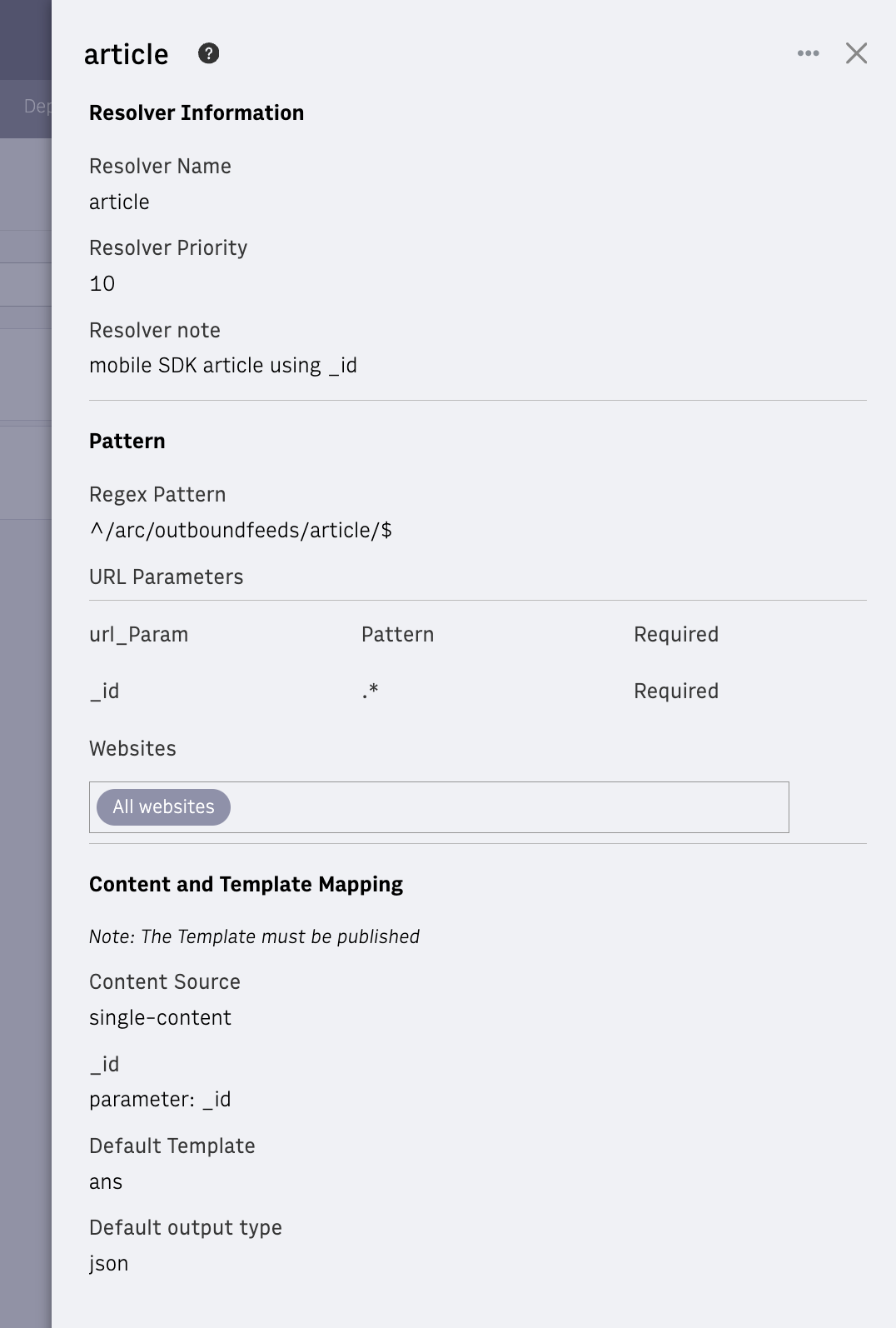 |
| ------------------------------------------------------------------------------------------------------------------------------------------------------------------------------------------------------------------------------------------------------------------------------------------------------------------------------------------------------------------------------------------------------------------------------------------------------------------------------------------------------------------------------------------------------------------------------------------------------------------------------------------------------ | ---------------------------------------------------------------------------------------------------------------- |
| SearchFeeds content data for searches.**Regex Pattern**: ^/arc/outboundfeeds/search/(.\*)/$**Content Source**: feeds-content-api**from** (integer offset to start from): Type = Parameter, parameter = from, value = 0For the from and size values, you must create the parameters using the Add Parameter button under URL Parameters. Create new parameters from and size and keep the pattern .\*. You can then use these parameters in the Content and Template Mapping section.**Number of records to return** (integer 1-20): Type = Parameter, parameter = size, value = 20**Tags-Text**: Type = Pattern, value = 1**Tags-Slug**: Type = Pattern, value = 1**Include-Terms**: Type = static, value = \[{"terms":{"type": \["story","gallery","video"\]}}\]**Source-Exclude**: Type = static, value = content\_elements**Default Template**: ans**Default output type**: json**Note**: Set up this resolver the way you want your search to work. You could search for keywords or tags or create a custom content source to work the way you want.This example is for tags but for keywords instead omit the 2 ‘tags’ above and use the same values for ‘keywords’Example URLs:[](https://arcsales-arcsales-sandbox.web.arc-cdn.net/arc/outboundfeeds/search/a/)[](https://arcsales-arcsales-sandbox.web.arc-cdn.net/arc/outboundfeeds/search/sample/?size=2) | 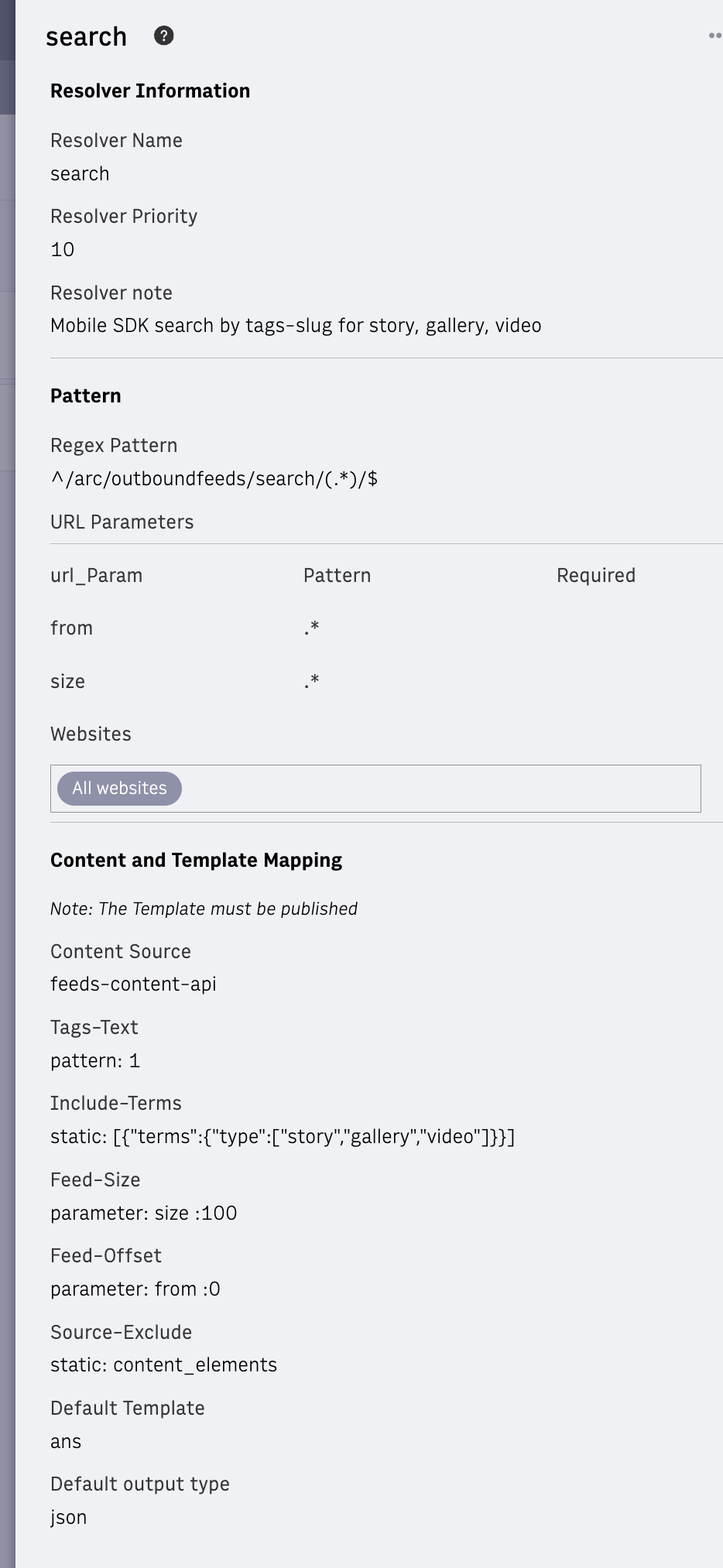 |
| ---------------------------------------------------------------------------------------------------------------------------------------------------------------------------------------------------------------------------------------------------------------------------------------------------------------------------------------------------------------------------------------------------------------------------------------------------------------------------------------------------------------------------------------------------------------------------------------------------------------------------------------------------------------------------------------------------------------------------------------------------------------------------------------------------------------------------------------------------------------------------------------------------------------------------------------------------------------------------------------------------------------------------------------------------------------------------------------------------------------------------------------------------------------------------------------------------------------------------------------------------------------------------------------------------------------------------------------------------------------------------------------------------------------------------------------------------------------------------------------------------------------------------------------------- | ----------------------------------------------------------------------------------------- |
| Search VideoFeeds content data for video-only searches (same as the Search resolver, just filters results for video only)**Regex Pattern**: ^/arc/outboundfeeds/searchVideo/(.\*)/$**Content Source**: feeds-content-api**from** (integer offset to start from): Type = Parameter, parameter = from, value = 0For the from and size values, you must create the parameters using the Add Parameter button under URL Parameters. Create new parameters from and size and keep the pattern .\*. You can then use these parameters in the Content and Template Mapping section.**Number of records to return** (integer 1-20): Type = Parameter, parameter = size, value = 20**Tags-Text**: Type = Pattern, value = 1**Tags-Slug**: Type = Pattern, value = 1**Include-Terms**: Type = static, value = \[{"terms":{"type": \["video"\]}}\]**Source-Exclude**: Type = static, value = content\_elements**Default Template**: ans**Default output type**: json**Note**: Set up this resolver the way you want your search to work. You could search for keywords or tags or create a custom content source to work the way you want.This example is for tags but for keywords instead omit the 2 ‘tags’ above and use the same values for ‘keywords’Example URL:[](https://arcsales-arcsales-sandbox.web.arc-cdn.net/arc/outboundfeeds/searchVideo/sample/) | 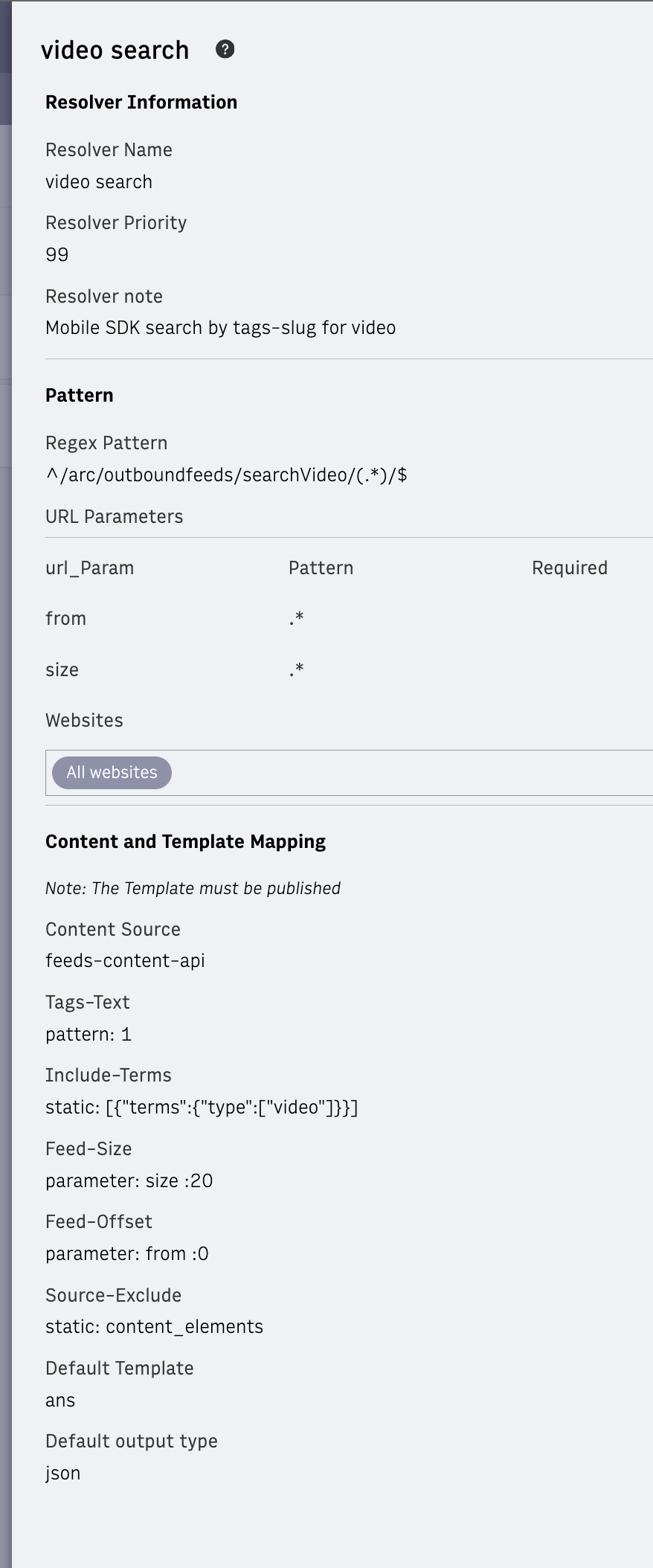 |
| ----------------------------------------------------------------------------------------------------------------------------------------------------------------------------------------------------------------------------------------------------------------------------------------------------------------------------------------------------------------------------------------------------------------------------------------------------------------------------------------------------------------------------------------------------------------------------------------------------------------------------------------------------------------------------------------------------------------------------------------------------------------------------------------------------------------------------------------------------------------------------------------------------------------------------------------------------------------------------------------------------------------------------------------------------------------------------------------------------------------------------------------------------------------------------------------------------------------------------------------------------------------------------------------------------------------------------------------------------------------------------------------------------------------------------------------------- | ---------------------------------------------------------------------------------------------- |
## Additional Resources
- [Setting up resolvers for Outbound Feeds](https://dev.arcxp.com/arc-io/developer-docs/setting-up-resolvers-for-outbound-feeds/)
- [Deploying New Outbound Feeds Features](https://dev.arcxp.com/arc-io/developer-docs/deploying-new-outbound-feeds-features/)
- [Content Sources with Outbound Feeds](https://dev.arcxp.com/arc-io/developer-docs/content-sources-with-outbound-feeds/)
- [Outbound Feeds Environments](https://dev.arcxp.com/arc-io/developer-docs/outbound-feeds-environments/)
- [How to Set Up and Configure an Outbound Feed](https://dev.arcxp.com/arc-io/developer-docs/how-to-set-up-and-configure-an-outbound-feed/)